*3370# Activate Enhanced Full Rate Codec (EFR) - Your phone uses the best sound quality but talk time is reduced my approx. 5%
#3370# Deactivate Enhanced Full Rate Codec (EFR)
*#4720# Activate Half Rate Codec - Your phone uses a lower quality sound but you should gain approx 30% more Talk Time
*#4720# Deactivate Half Rate Codec
*#0000# Displays your phones software version, 1st Line : Software Version, 2nd Line :
Software Release Date, 3rd Line : Compression Type
*#9999# Phones software version if *#0000# does not work
*#06# For checking the International Mobile Equipment Identity (IMEI Number)
#pw+1234567890+1# Provider Lock Status. (use the "*" button to obtain the "p,w" and "+" symbols)
#pw+1234567890+2# Network Lock Status. (use the "*" button to obtain the "p,w" and "+" symbols)
#pw+1234567890+3# Country Lock Status. (use the "*" button to obtain the "p,w" and "+" symbols)
#pw+1234567890+4# SIM Card Lock Status. (use the "*" button to obtain the "p,w" and "+" symbols)
*#147# This lets you know who called you last (Only vodofone)
*#1471# Last call (Only vodofone)
*#21# Allows you to check the number that "All Calls" are diverted to
*#2640# Displays security code in use
*#30# Lets you see the private number
*#43# Allows you to check the "Call Waiting" status of your phone.
*#61# Allows you to check the number that "On No Reply" calls are diverted to
*#62# Allows you to check the number that "Divert If Unreachable (no service)" calls are diverted to
*#67# Allows you to check the number that "On Busy Calls" are diverted to
*#67705646# Removes operator logo on 3310 & 3330
*#73# Reset phone timers and game scores
*#746025625# (or: *#SIM0CLOCK#) Displays the SIM Clock status, if your phone supports this power saving feature "SIM Clock Stop Allowed", it means you will get the best standby time possible
*#7760# Manufactures code
*#7780# Restore factory settings
*#8110# Software version for the nokia 8110
*#92702689# (or: *#WAR0ANTY#) Displays - 1.Serial Number, 2.Date Made, 3.Purchase Date, 4.Date of last repair (0000 for no repairs), 5.Transfer User Data. To exit this mode you need to switch your phone off then on again
*#94870345123456789# Deactivate the PWM-Mem
**21*number# Turn on "All Calls" diverting to the phone number entered
**61*number# Turn on "No Reply" diverting to the phone number entered
**67*number# Turn on "On Busy" diverting to the phone number entered
12345 This is the default security code
press and hold # Lets you switch between lines
Many of us sometimes find the folder options missing in windows explorer.
Here's the solution
Open Run and then type "gpedit.msc".
Now goto User Configuration >
Administrative templates >
Windows Component >
Windows Explorer.
Click on Windows Explorer you will find the 3rd option on the right side of screen
"Removes the Folder Option menu item from the Tools menu"
Just check it,
if it is not configured then change it to enable by double clicking on it and after applying again set it to not configured.
I hopes that you will find the option after restarting windows.
This is the COOLEST trick!
But did'nt work for many ppl.
So U guys download the Old version from below & see!
Nothing to Lose ;)
One of the most popular trick so far.
Requirements:
>Airtel Live connection
>JAVA applications support
If U have them,download the teashark browser from the link below! Install,Open & Start Browsing from your mobile for FREE!
Download Old Version (Highly Recommended)
Download Teashark (JAR)
Download Teashark (JAD)
Tips:
>Keep your default web browser open & connected.
>At first it may show Initialization Failed, but don't lose hope. Keep trying!
Sometimes some of your friends who appear offline in yahoo messenger may not be actually offline,they may in the 'Invisible' mode.This maybe if they are trying to ignore you or are too busy to talk to anyone.
There is this small trick that you can use to find out what the truth is.
Firstly open your yahoo messenger main window and double click on the name of the person whom you want to check.The chat window will open obviously.
Click IMVironment button, select See all IMVironments, select Yahoo! Tools or Interactive Fun, and click on Doodle.
After loading the Doodle imvironment there can be two possibilities
1.If the user is offline Doodle are will show this "waiting for your friend to load Doodle" continuously .See in the picture below: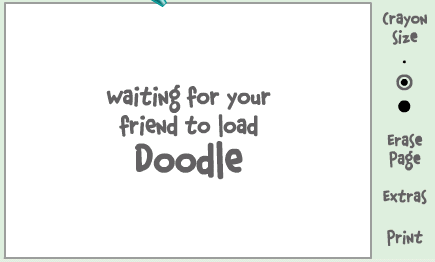 2. If the user is online (but in invisible mode), after few seconds (it can take up to one minute, depending on your connection speed), you should get a blank page like in the picture below.So you know that the user is online.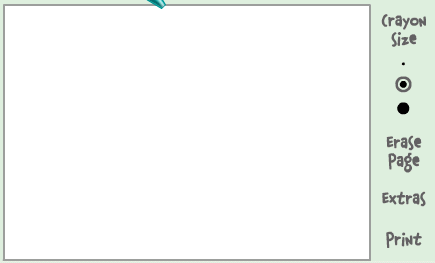
Alternate Method:
Chose a person you want to check .Double click to open the chat window.Now simply invite the person for a voice conference.This is done by clicking on the "conference' button on the top of the chat window.
If the talk button appears and turns green then that person is online.But if you receive the message 'Voice chat could not be started ' then the person is offline.
Note:Some people use softwares like buddy spy to check who is invisible.I DONT RECOMMEND you to use such third party softwares as they can expose your Pc to hackers by sending your personal information and can even steal information from your Pc.So avoid such softwares and instead use the simple tricks given above.
If you have any queries or would like to make some useful contribution to this topic feel free to drop a line in the comments section.
Well people ,this couldnt have been easy. . .All u have to do is download the attachment for here and attach it to ur registery. . .
http://nash.the.admin.googlepages.com/XPgenuinebyerrorz.reg
wallah. . .Your work is done. . .:)
YES . . it is possible for you to make free phone calls both from your & PC. Login to http://www.minowireless.com/ ; complete the sign up process. Once you get registered then you can make free calls from your mobile or even via web.... For making free phone calls from your mobile download the Minowireless software on your mobile either from their Website or from http://www.getjar.com/ After installing the software, activate it by entering the PIN no. given to you at the time of registration. And now you can make free calls from your mobile.
I read it somewer .... nt yet tried ....
thot it vil b useful fr al da webdesigners ,.....
What you need:
Sample dynamic flash template from TM website
Sothink SWF Decompiler
Macromedia Flash
1. browse or search your favorite dynamic flash template in TM website. If you got one... click the "view" link and new window will open with dynamic flash.. loading...
2. If the movie fully loaded, click View -> Source in your browser to bring the source code of the current page and in the source code, search for "IFRAME" and you will see the iframe page. In this example were going to try the 7045 dynamic template. get the URL(ex.
3. copy the URL and download that SWF file.. use your favorite download manager.. mine I used flashget icon_smile.gif NOTE: dont close the browser we may need that later on.
4. open your Sothink SWF decompiler... click "Quick Open" then browse where you download your SWF/movie file. Click Export FLA to export your SWF to FLA, in short, save it as FLA icon_smile.gif
5. Open your Macromedia FLash and open the saved FLA file. press Control+Enter or publish the file... then wallah! the output window will come up with "Error opening URL blah blah blah..." dont panic, that error will help you where to get the remaining files.
6. Copy the first error, example: "7045_main.html" then go back to your browser and replace the 7045.swf to 7045_main.html press enter and you'll see a lot of text... nonsense text icon_lol.gif that text are your contents...
NOTE: when you save the remaining files dont forget to save with underscore sign (_) in the front on the file without the TM item number (e.g. 7045) if it is html save it as "_main.html" and same with the image save it as "_works1.jpg" save them where you save the FLA and SWF files. Continue browsing the file inside Flash application so you can track the remaining files... do the same until you finish downloading all the remaining the files.
enjoy !!!
download the decompiler from here......
http://www.sothink.com/product/flashdecompiler/index.htm?gclid=CLz5mJTh7JUCFQoNewodqilUeg
Credits :: Keerthiprakash
